01. Choose your passage.
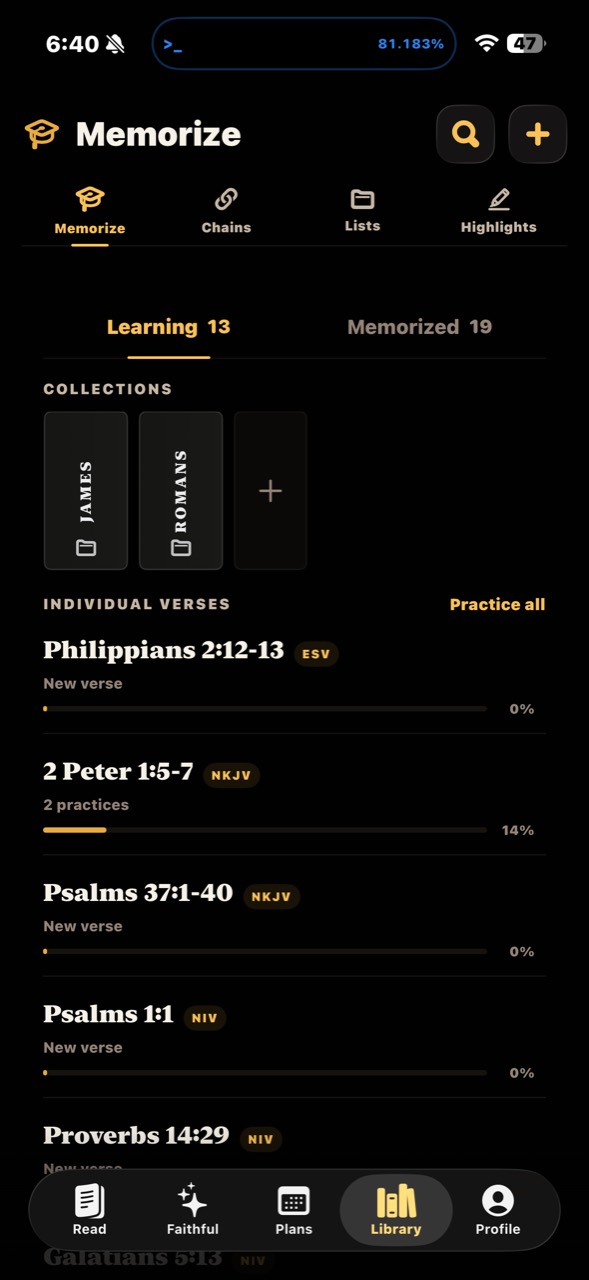
Save the verses you want to remember, with their translation. Arrange them in collections for a Bible book, a theme, or a season of life.
Scripture memory
Move from a passage you recognize to words you can recall. Save verses, choose a way to practice, and make a little time for remembering.
Get WrittenFree. No ads. No account required.
A practice you can return to
Save the verses you want to remember, with their translation. Arrange them in collections for a Bible book, a theme, or a season of life.
Work with first letters, fill in missing words, type the passage, speak it, or hear it aloud. Choose the approach that helps you engage with the words.
See your practice progress and return to passages you’re still learning. Keep memory verses in view with Home Screen and Lock Screen widgets.
Different ways to remember
First-letter practice gives you a cue for each word. Fill-in-the-blanks practice invites you to recall the words that are missing.
Type or speak the passage as you practice recalling it. Spend time with its wording, its order, and its meaning.
Hear the passage aloud as part of your practice. Bring listening and reading together as you become familiar with the verse.
Keep it in sight
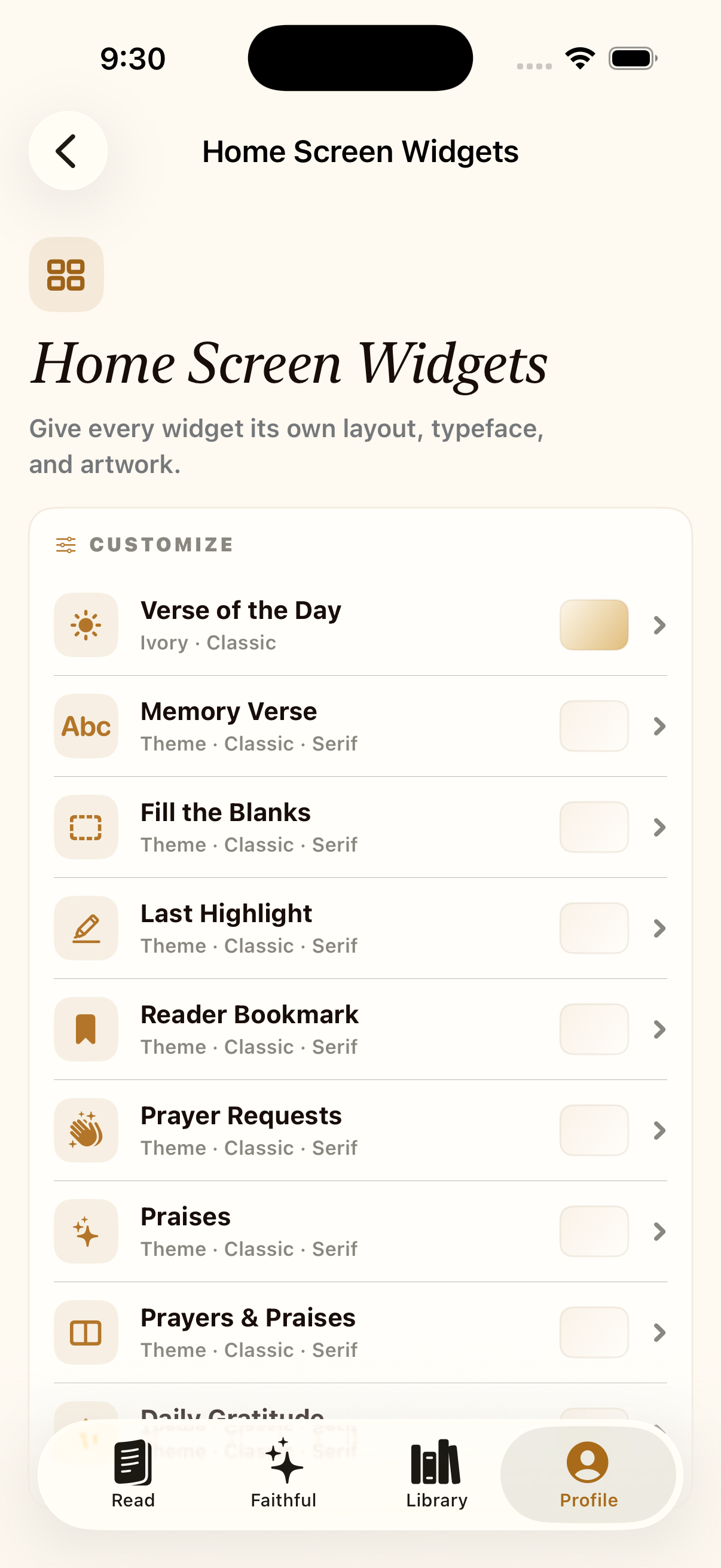
Add a memory verse or a fill-in-the-blanks widget to your Home Screen. Choose a layout, typeface, and artwork that make it feel at home on your phone.
More about widgets ↗Each saved memory verse keeps its own translation, so your collection can reflect the wording you chose to learn.
Create collections for the passages you want to keep together. A collection might follow a Bible book, a topic, or the verses you are working on now.
No. Written offers several practice modes, including first letters, missing words, typing, speaking, and listening.